
NetSuite P2P Bundle 22.0.0: Key Changes, Business Impact and Upgrade Checklist
Explore the major NetSuite P2P Bundle 22.0.0 improvements for Coupa Pay, expense processing, vendor synchronization and OIDC authentication—and what organizations should test before upgrading.
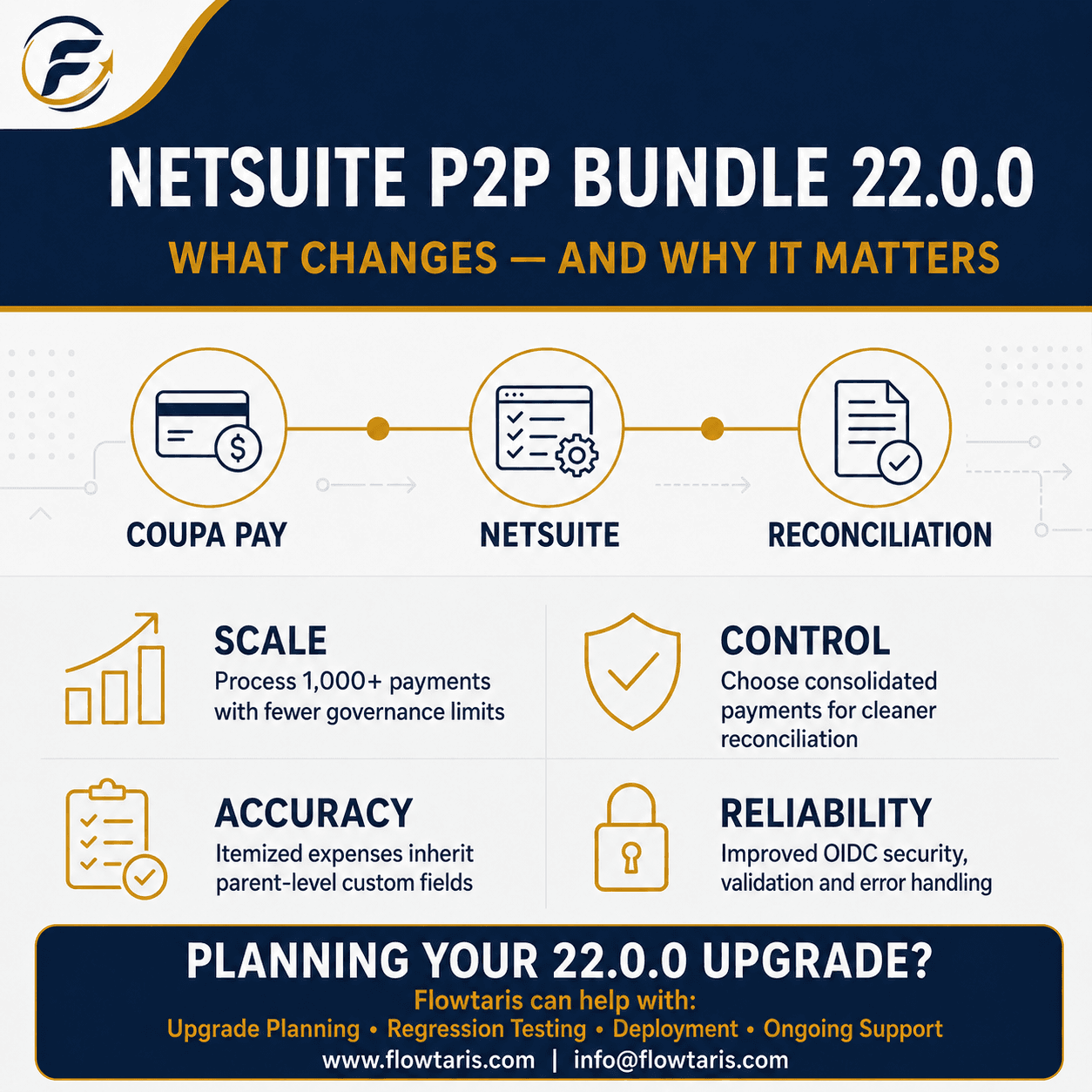
What this blog covers
Introduction
The NetSuite P2P Bundle 22.0.0 was released on August 17, 2026, for Coupa R46 and NetSuite 2026.2. This release introduces important improvements across Coupa Pay payment processing, expense integrations, vendor synchronization and OIDC authentication. For organizations managing large transaction volumes, these changes address scalability and reliability challenges that can directly affect finance, procurement and accounts payable operations.
Coupa Pay Scalability Improvements
Bundle 22.0.0 redesigns the Coupa Pay payment script to support more than 1,000 payments without generating NetSuite LIMIT EXCEEDED errors. The updated script improves governance usage, divides payment and line-level tasks across Map/Reduce stages, and strengthens rollback, unhold and credit-application processing. This helps high-volume finance teams process larger payment batches with fewer interruptions and better operational control.
Expense Integration Enhancements
The Expense Report-to-Expense Report integration can now search and process more than 5,000 records without generating the SSS_SEARCH_FOR_EACH_LIMIT_EXCEEDED error. Itemized expense lines also inherit custom-line-field values from their parent expense lines, improving the consistency of department, location, project, cost centre and other accounting-segment data transferred into NetSuite.
Optional Consolidated Expense Payments
Previously, the Coupa Pay expense-payment integration created a separate NetSuite payment for every payable line. Bundle 22.0.0 introduces an option to create one NetSuite payment record for each Coupa payment. This can reduce transaction volume and simplify reconciliation, but Finance teams should validate reporting, audit-trail and payment-matching requirements before enabling the feature.
Enable this feature using the script parameter: custscript_create_consolidated_payments
Vendor Inactivation Synchronization
Bundle 22.0.0 fixes an issue where inactivating a vendor through NetSuite Edit mode did not inactivate the corresponding supplier in Coupa. Reliable vendor-status synchronization helps prevent transactions with inactive suppliers and reduces master-data inconsistencies between the procurement and ERP platforms.
OIDC Authentication Improvements
The bundle’s OIDC authentication logic has been refactored to cache tokens for approximately 50 minutes, reducing unnecessary authentication requests. It also introduces safer JSON response parsing, improved exception handling, stronger URL validation and more consistent error logging. These changes should improve integration stability and make authentication failures easier to diagnose.
Bundle 22.0.0 Testing Checklist
Before deploying Bundle 22.0.0 to production, organizations should complete end-to-end regression testing in a NetSuite sandbox. Testing should cover standard transactions, high-volume scenarios, custom mappings, accounting controls and failure-recovery processes.
Coupa Pay: Test payment batches containing more than 1,000 transactions, credit applications, rollback and unhold scenarios, and failed or partially processed batches.
Expenses: Test searches exceeding 5,000 records, itemized expenses, parent-level custom fields, corporate-card transactions and multi-currency reports.
Consolidated Payments: Validate bank reconciliation, payment references, audit trails, closed accounting periods and transaction reprocessing.
Vendor and OIDC: Test vendor inactivation and reactivation, token caching, expired-token behaviour, environment URLs, error notifications and integration logs.
Frequently Asked Questions
NetSuite P2P Bundle 22.0.0 is the latest Coupa-to-NetSuite integration bundle released for Coupa R46 and NetSuite 2026.2. It introduces improvements to Coupa Pay scalability, expense processing, consolidated payments, vendor synchronization and OIDC authentication.
Organizations should first review the release impact and install Bundle 22.0.0 in a NetSuite sandbox. Coupa Pay, expenses, vendor synchronization, custom-field mappings, accounting controls and OIDC authentication should be regression-tested before scheduling the production upgrade.
No. Consolidated expense payments are optional and must be enabled using the custscript_create_consolidated_payments script parameter. Finance teams should validate reconciliation, reporting, payment matching and audit-trail requirements before enabling this feature.
The Coupa Pay payment script has been redesigned to support more than 1,000 payments while reducing the risk of NetSuite governance-limit errors. It also improves parallel processing, error handling, logging, rollback, unhold and credit-application handling.
Similar Blogs
See All >
Why Enterprise Organizations Are Choosing Specialized ERP Consulting Firms Over Large Consulting Partners
Enterprise ERP initiatives continue to face high failure rates, budget overruns, and delayed business outcomes. This article explores why organizations are increasingly choosing specialized ERP consulting firms over large consulting partners, how niche expertise improves implementation success, and what leaders should evaluate when selecting an ERP consulting partner.

10 Essential Questions to Ask Before Starting a NetSuite Implementation
Avoid costly ERP mistakes. Discover the 10 critical questions every leader must ask before starting a NetSuite implementation — from scope to data to change management. Enterprise resource planning (ERP) projects like a NetSuite implementation are complex, high-stakes endeavors. Too often, organizations underestimate hidden costs, governance gaps, and integration pitfalls — even when the software itself is sound. At Flowtaris, the difference between a smooth rollout and a costly crisis almost always comes down to early due diligence. Asking the right questions upfront — about business objectives, scope, data ownership, change management, and more — can surface risks before they become disasters and align teams before conflict takes root. This guide covers ten critical questions every CIO, CFO, procurement head, and program manager should answer before kicking off a NetSuite project.

5 Common Coupa Integration Mistakes That Delay Enterprise Projects
Integrating Coupa with your ERP system promises streamlined procurement, automated invoicing, and real-time spend visibility. But for many enterprise teams, the integration becomes the project's biggest bottleneck — not because the technology fails, but because the planning does. At Flowtaris, we have guided numerous Coupa-ERP integrations across NetSuite, SAP, and Workday environments. The same five mistakes appear on project after project. They are avoidable. And catching them early is the difference between a smooth go-live and months of firefighting.